
Last week we provided the broadcast for the International Christian School of Budapest's annual basketball tournament, which brought together seven schools from Hungary, Austria, Croatia, Kosovo, Albania, Turkey, and Czechia — drawing nearly 11,000 viewers online. The three-day event was covered with an operated camera, wide-angle and wireless cameras, live commentary, room microphones, and custom graphics — including a countdown video, team line-ups, a live-updating schedule, and an automated scoreboard overlay.
Cameras
The camera setup was straightforward. Two GoPros provided fixed wide angles — one mounted at the center of the gym, one in the corner to frame both the court and the spectators. The center GoPro served a specific purpose: the commentators were working from a separate room and needed a full, uninterrupted view of the court regardless of what the main camera was doing. The main camera was operated from a platform at the center of the gym, with a wireless tally light system letting the operator know when they were live and maintaining two-way communication with the control room.
Switching and Signal Routing
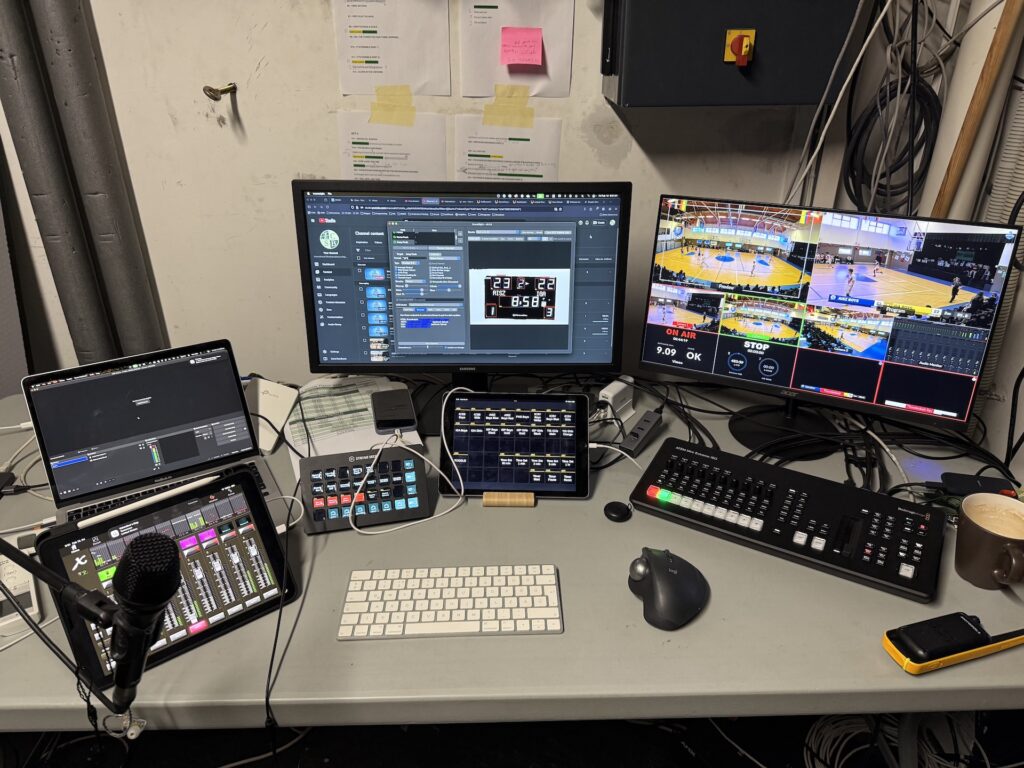
The broadcast was controlled through the new ATEM Mini Extreme G2 ISO from Blackmagic. All cameras ran over HDMI, including those more than 30 meters away. To handle the connectivity issues that come with long HDMI runs, we use a professional-grade HDMI matrix, which keeps signals in sync across the cable lengths.
Graphics
For graphics, we run OBS with the Decklink Output plugin feeding into the ATEM. This workflow gives us the most flexibility — OBS handles media layers, web browser sources, and custom-coded elements from a single interface, and can be controlled directly from Streamdecks.
The scoreboard overlay is where the setup gets more involved. A camera mounted at a fixed position faces the physical scoreboard and feeds into Scoresight, which processes the image using a custom OCR model. The custom model is necessary because scoreboard fonts tend to be non-standard and cause errors with generic OCR. The extracted data is then pushed to a local web server, and OBS pulls from that in real time.

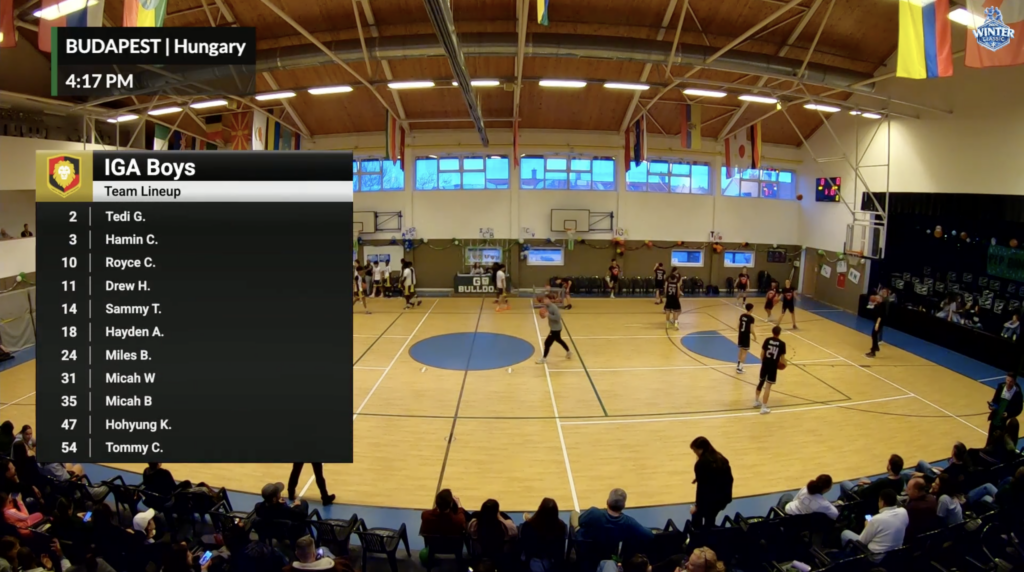
For the visual overlay design, we used the free toolkit from Uno, a subsidiary of Singular Live. Our approach has always been to get the most out of free tools where they can meet the quality bar — and here they could. The live schedule, team line-ups, live bugs, and the scoreboard base graphic were all built in Uno. The live data connection to the scoreboard, however, ran through custom-coded OBS elements for speed.
Streaming Output
Since the ATEM has a capable built-in encoder, we streamed directly from it to Vimeo, and then re-streamed from Vimeo to YouTube. This removed the need for an additional streaming provider in the chain.
Sound
To keep cabling simple, we used the AES digital capability of the Behringer X32. While the X32 is more than what a broadcast of this size strictly requires, it let us run digital stage-boxes to both the camera position and the commentary room over a single Ethernet cable each. From there, the two overhead microphones capturing court audio and the commentators’ microphones were all routed cleanly into the mixer. Alongside the microphones, both commentators and the camera operator had monitor feeds with direct communication back to the control room. Two additional microphones captured the live pep band during home games, and the cheer team’s music was taken as a direct feed into the broadcast.
Commentary
The commentators worked from a separate room but had everything they needed to call the game effectively. One TV showed the full court view at all times. Two monitors sat alongside it — one displaying the main camera feed closer on the play, and the other running our custom-built stats software, updated live by stat-keepers on the court so the commentators had real-time data for stat-based commentary. Each commentator controlled their own microphone feed to the broadcast independently, through Streamdeck Minis.
